project details
#overview
Food Vision explores multiclass image classification in the concrete domain of food recognition. A convolutional neural network learns visual features from labeled examples and predicts the category of an unseen food image. The repository treats the model as part of a usable application rather than stopping at a training notebook.
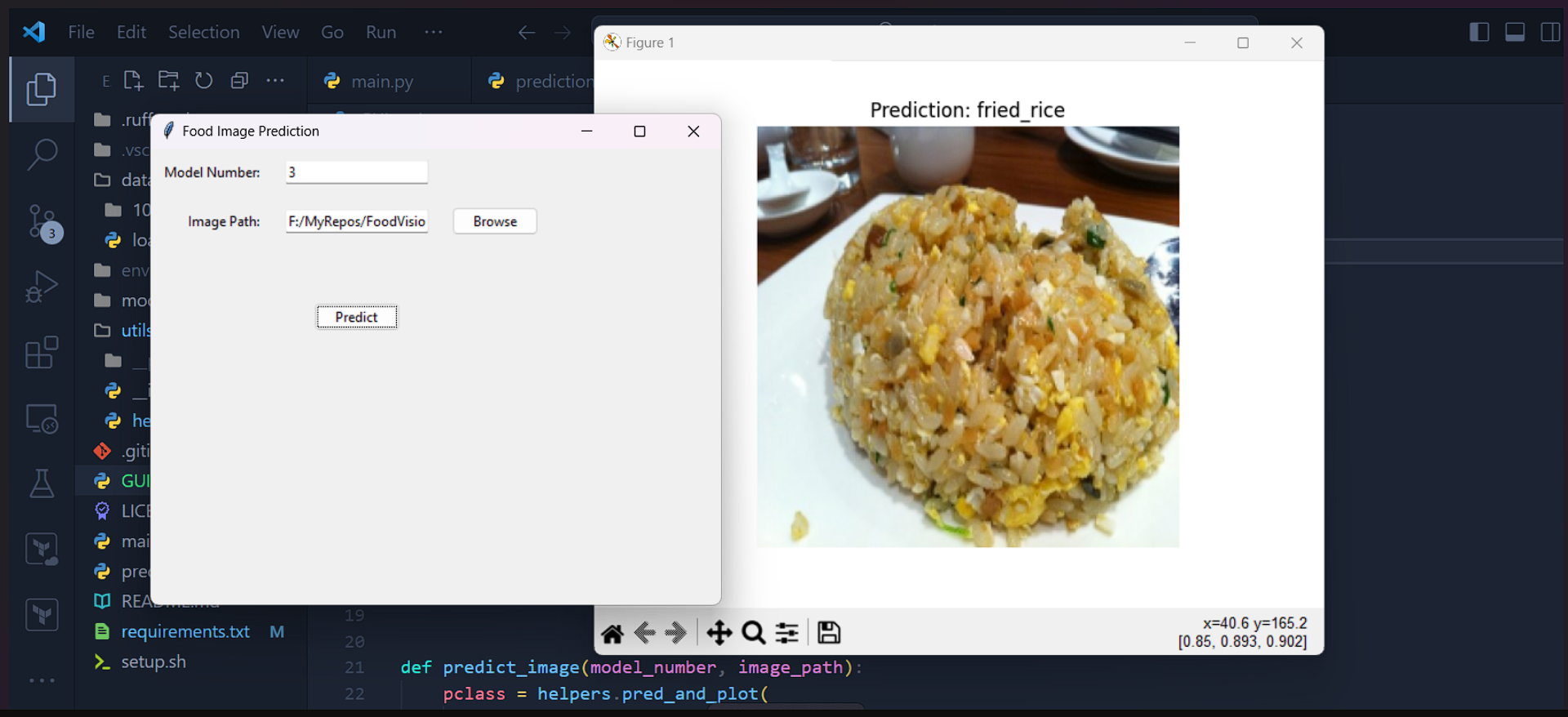
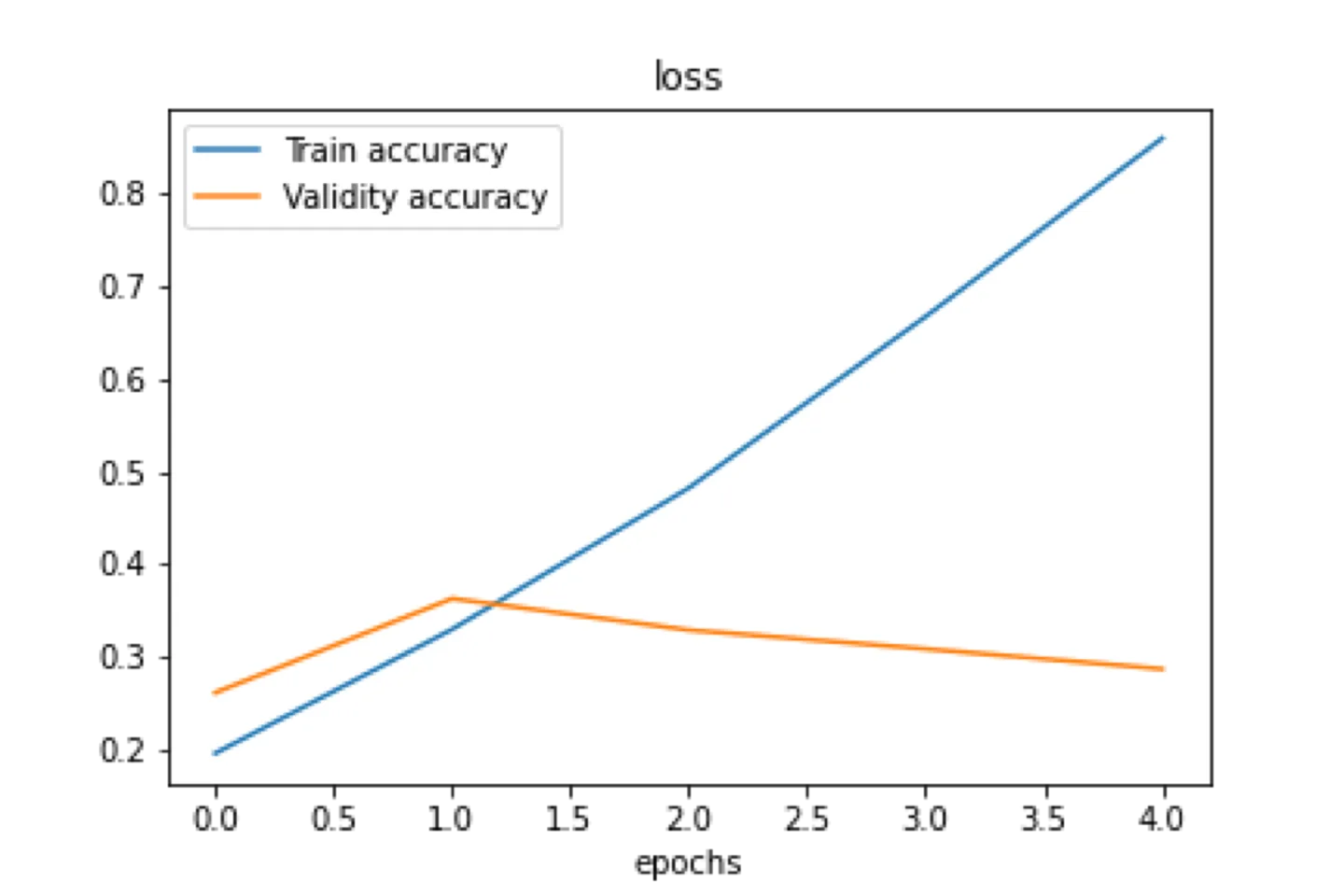
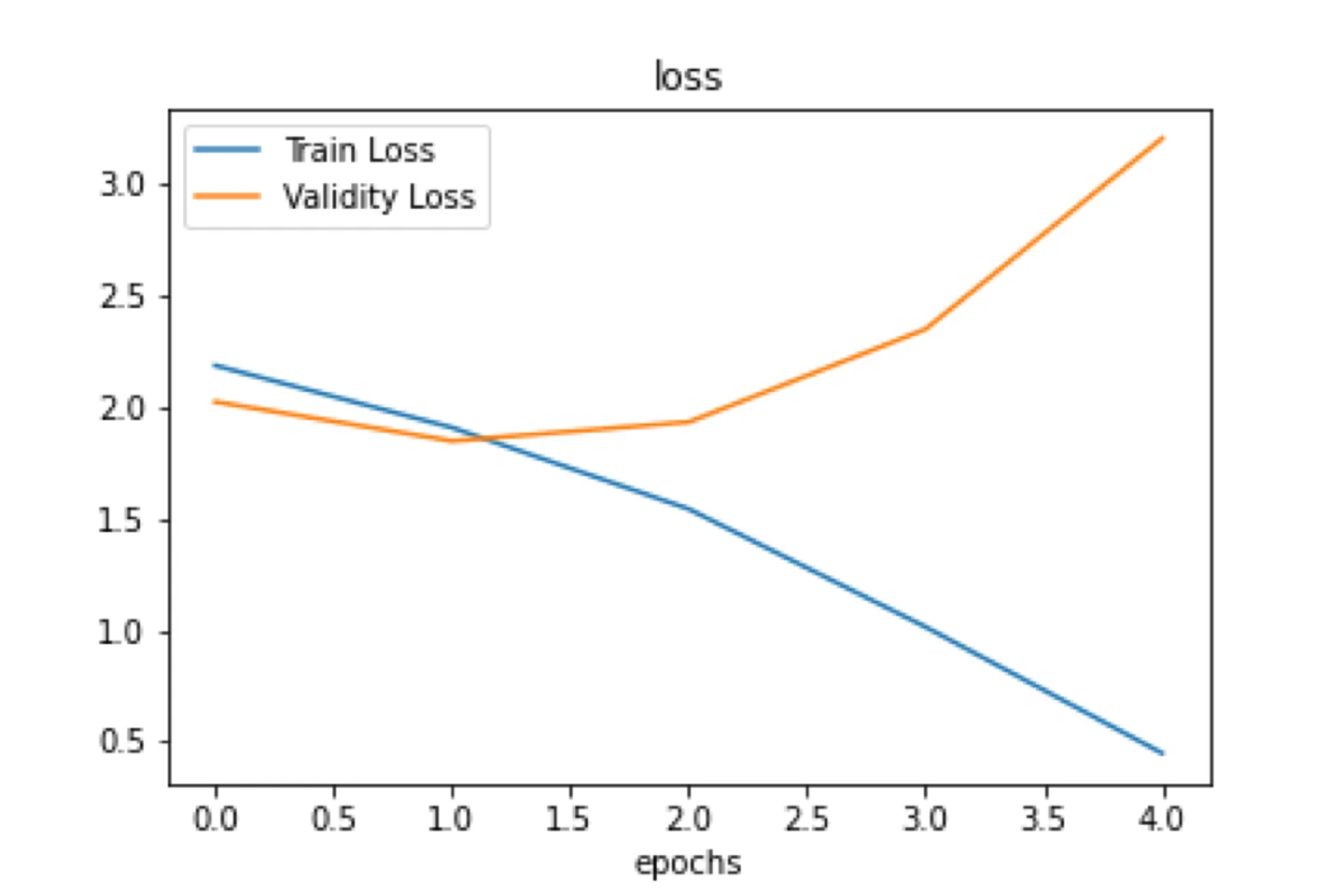
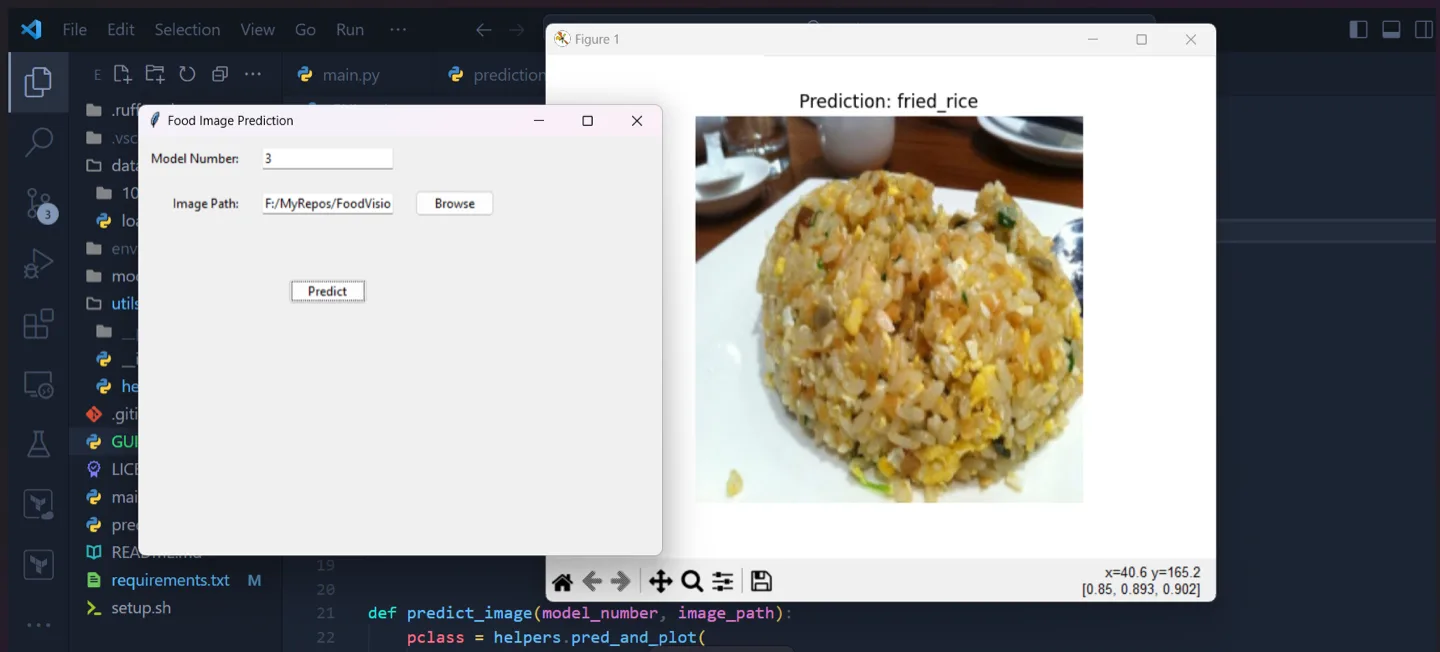
Both command line and graphical paths make inference accessible after training. Supporting scripts automate repeated setup and execution work, while charts and tabular tooling help inspect the model's behavior. The project is a practical introduction to the full loop of preparing data, training, evaluating, saving, and serving a computer vision model.
#install and run
Prepare the environment
python -m venv env
pip install -r requirements.txt
Run the CLI or desktop app
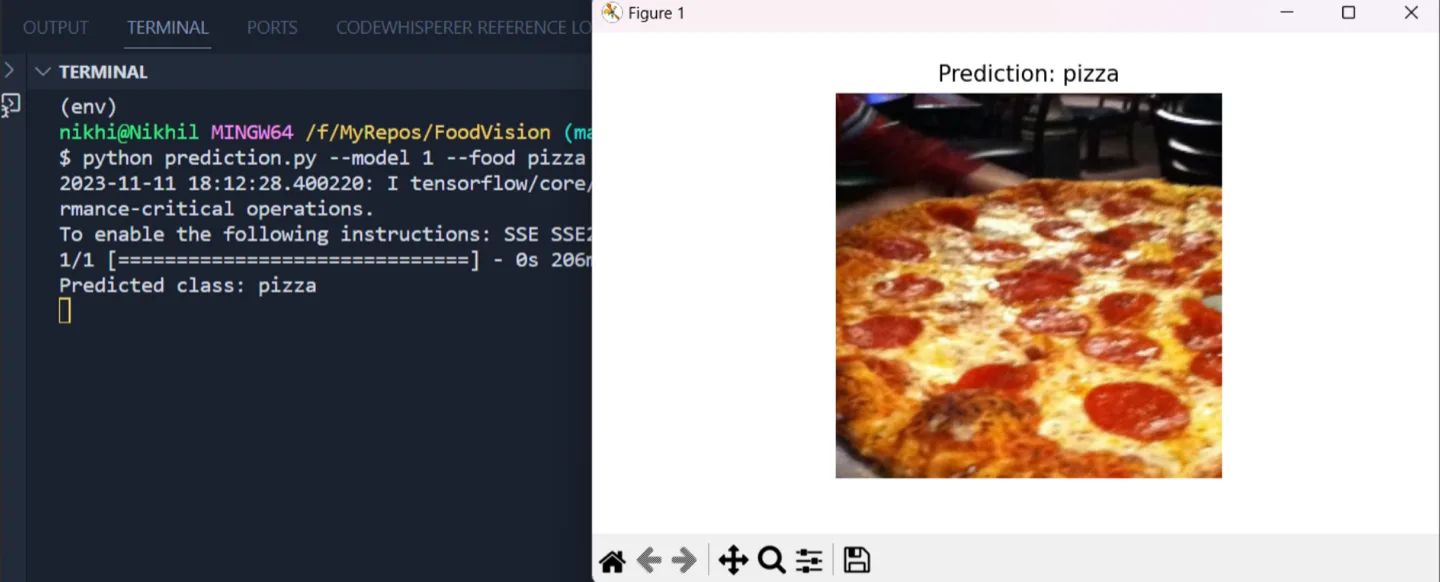
python prediction.py --model 1 --food pizza
python GUI.py#architecture and features
TensorFlow and Keras define and train the convolutional network. NumPy and Pandas support data preparation and analysis, while Matplotlib visualizes training and evaluation results. Saved model artifacts separate the expensive training phase from normal inference.
The inference layer loads a trained model, applies the same image resizing and normalization expected during training, and maps output probabilities back to class names. Tkinter provides the desktop interface, while the CLI offers a simpler path suitable for scripts or environments without a graphical session.
#inside the project
#using the project
- 01Clone the repository, create a Python environment, and install the pinned machine learning dependencies. Follow the repository's data preparation instructions if retraining. Otherwise, obtain or generate the expected saved model artifact.
- 02Run the training workflow to fit the classifier and inspect the resulting metrics and plots. Keep preprocessing identical across training and validation so evaluation reflects the model rather than a mismatched input pipeline.
- 03For prediction, supply an image through the CLI or open it in the desktop interface. The application prepares the image, runs inference, and displays the predicted class. Treat the result as a model estimate: performance depends on the training classes and how closely new images resemble that data.